
Supplier chats can move fast while your order records fall behind. One message holds the price, another has the shipping address, and the payment receipt sits somewhere else. Here are the best tools for managing supplier orders over WeChat, with a clear pick for Amazon FBA, Shopify, and WooCommerce sellers.
1. SupplyAutomate
SupplyAutomate is the best fit when WeChat is your supplier inbox but not your full order system. It is built for Amazon FBA sellers, Shopify store owners, and small to mid-sized e-commerce teams that need one place for orders, costs, and supplier records.
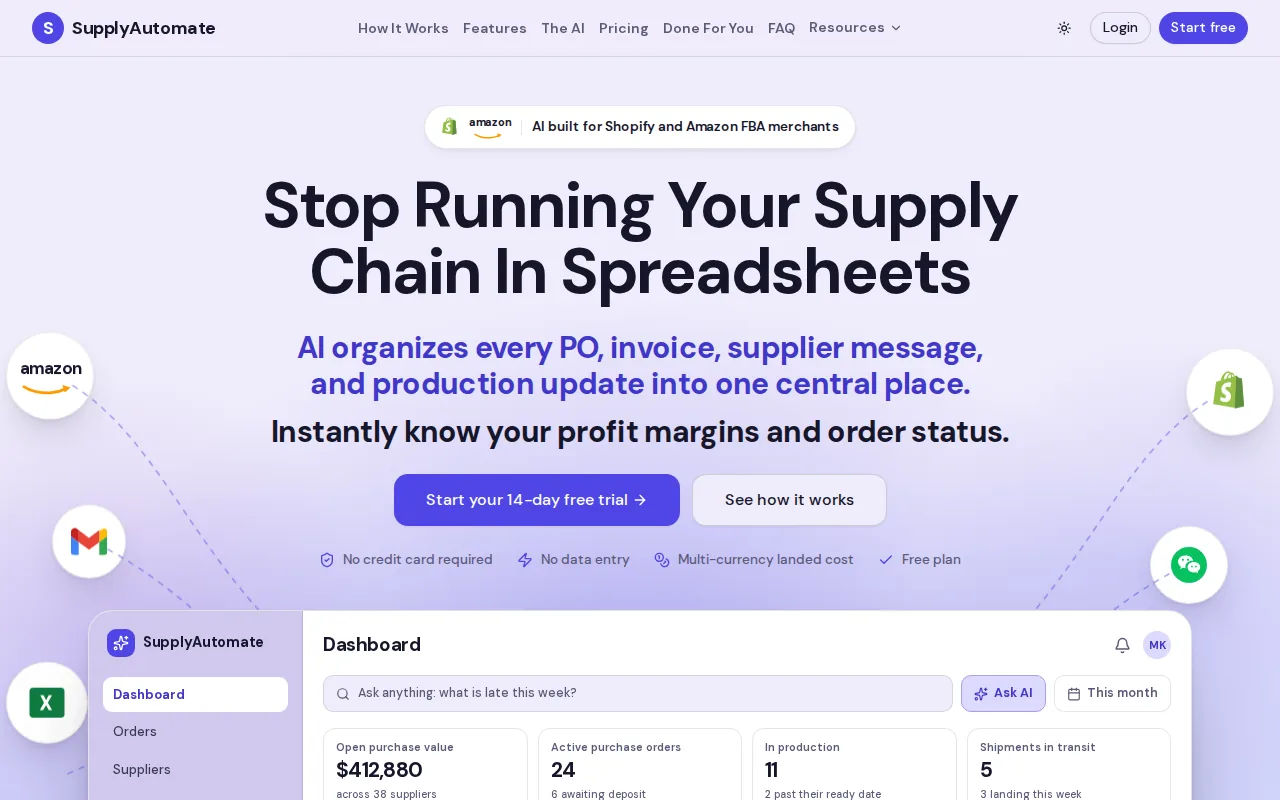
We help turn supplier messages and documents into an order trail. That matters when a supplier sends a revised quote in WeChat, then sends an invoice days later. You need to connect both files to the same PO, which is a purchase order, before the goods reach your 3PL or Amazon warehouse.
SupplyAutomate also tracks landed cost. That means the product cost is viewed alongside freight, duty, and other costs tied to getting stock ready to sell, which is what landed cost covers and why it matters. If you still manage this work in scattered sheets, the free purchase order and landed cost templates can help you set a clean process first.
The limit is simple. SupplyAutomate doesn't replace WeChat as the place where you talk to a supplier. It gives those chats a proper operating record. For sellers who need order control after the conversation, that split is useful. If your Amazon FBA, Shopify, or WooCommerce operation needs someone to handle supplier follow-up as well as recordkeeping, outsourcing supplier order management to a US-based team can extend that workflow from the factory to your 3PL.
2. WeChat
WeChat is the right starting point for direct supplier communication. For managing supplier orders over WeChat, it gives you the chat thread where product questions, quotes, photos, and shipping updates often begin.

You can add a supplier in four common ways: search their WeChat ID, use their mobile number, scan their QR code, or accept a shared contact. If a search by ID fails, try another method. Some accounts don't have a searchable custom ID.
Friend requests can expire, so don't leave a key supplier request unattended. Add a short note with your name, company, product, and reason for contact. That gives the supplier context before they accept you.
WeChat also has translation settings that can help with short supplier messages. Check the supplier's activity feed before sending money. It may show recent product posts or business updates, but it isn't proof that the supplier is safe.
WeChat is strong for contact and speed. It is weak as the only source of truth for POs, stock levels, and margin checks. A basic overview of WeChat's wider functions helps explain why the app can cover chat, payments, and commerce while still needing a separate order record.
3. Team-Based Supplier Communication
A team-based supplier communication workflow is worth considering when several people handle supplier chats. It is aimed at work communication rather than a single owner's personal contact list.

That makes it useful for handoffs. A sourcing lead can manage a price question while an operations manager checks the shipping plan. The team can keep supplier work tied to business roles instead of one employee's private account.
Use it when you have repeat suppliers and more than one person needs access. Set a naming rule for contacts. Include the supplier name, factory role, and product family so a teammate can find the right chat quickly.
The caveat is that a team communication workflow doesn't automatically become an e-commerce order system. You still need a PO record, an invoice folder, and a way to check whether the supplier's promised date matches your stock plan. A guide to organizing supplier invoices covers that filing structure, and supplier management software compares the systems built to hold it.
4. Shared order documents
Shared order documents can act as a shared order sheet beside WeChat. They suit small teams that need one live record for supplier quotes, PO details, and status notes.

A useful sheet might include the supplier name, SKU, quantity, unit cost, currency, promised ship date, payment status, and tracking number. Keep one row per SKU or PO line. That makes a partial shipment easier to spot than a long chat message.
Paste the key WeChat message link or a short note into the row. Don't copy every message. Record the decision that affects the order, such as a changed carton count or a new inspection date.
Shared docs have a known weakness: people may type over old values. Add a last-updated field and keep the original quote in a locked file. A document can support order control, but it won't calculate every cost by itself.
5. Marketplace-Sourced Supplier Orders
Marketplace-sourced supplier orders fit eCommerce retailers who discover suppliers through a marketplace, then move day-to-day talks to WeChat. This gives the sourcing process a marketplace layer before the private chat begins.

Use the marketplace record to capture the supplier profile, product details, and early quote. Then compare that record with what the supplier says in WeChat. If the price, MOQ, material, or lead time changes, update the PO rather than trusting the latest chat alone.
This matters when several suppliers sell similar goods. A saved product page can help you tell apart two factories that use near-identical photos. Ask for a current quote tied to your exact SKU and pack plan.
A marketplace record isn't a replacement for a cost system. You still need to check freight, duty, inspection fees, and currency conversion before judging the order's margin.
6. China-focused sourcing marketplaces
A China-focused sourcing marketplace may sit upstream of a WeChat supplier relationship. It is most relevant when your sourcing work already depends on Chinese-language listings and local supplier discovery.

Keep the marketplace listing as a reference point when a supplier moves the conversation to WeChat. Save the listing date, product variant, and quoted terms. Product pages can change, while your order still depends on the terms agreed at the time.
Language adds work here. Use translation for basic messages, then confirm key terms in plain language. Ask the supplier to confirm quantity, material, pack size, and ship date in one message before payment.
A China-focused sourcing marketplace can help with discovery, but it does not solve your full Amazon FBA, Shopify, or WooCommerce workflow. Treat it as a sourcing input, not your main order ledger.
7. eCommerce inventory and fulfillment tools
An eCommerce inventory and fulfillment tool is the right companion when supplier orders feed an online retail business. It shows the selling-side result of the supply decision, while WeChat holds the supplier conversation.

Use the supplier PO to plan the units your sales channel needs. Then compare the confirmed quantity with the shipment plan and receiving data. If the supplier says 1,000 units shipped but the receiving record shows less, the gap needs a document trail.
Keep SKU names consistent across WeChat, your PO, carton labels, and your sales-channel records. A small naming mismatch can slow a stock check or make a receiving issue harder to trace.
An eCommerce inventory and fulfillment tool is not designed to manage every supplier chat or landed-cost detail. It works best as the destination for inventory and fulfillment outcomes. For cost work, the landed cost guide for e-commerce sellers gives you a clearer way to include costs beyond the supplier's unit quote.
8. E-commerce workflow automation
E-commerce workflow automation is useful when supplier order events need to trigger actions inside a Shopify or WooCommerce store. It is a workflow layer, not a replacement for the WeChat conversation.

For example, a stock change recorded in your store could start an internal task for a reorder review. A product tag might route an order to a certain team. The exact workflow depends on the apps and data connected to your e-commerce account. Shopify sellers evaluating a more connected approach can compare the Shopify supply chain app experience for inventory, fulfillment, supplier links, and Amazon FBA workflows.
Keep the trigger tied to a verified order field. Don't build an automation around a free-text WeChat message that someone may phrase differently each time.
Store workflow automation helps with store-side actions. It won't confirm whether a supplier has accepted a revised PO. That still needs a recorded message, document, or approval outside the automation.
9. Workflow automation tools
Workflow automation tools can connect common business apps when your supplier workflow has a clear digital handoff. They may suit a small e-commerce team that records WeChat decisions in a form, sheet, or email before sending them elsewhere.

The key is the handoff. WeChat itself may not be the system that triggers the automation. A team member could enter the confirmed PO number and supplier status into a structured form. A workflow automation tool can then pass that data to another connected app.
Use required fields for SKU, quantity, supplier, and due date. This reduces the risk of creating a task with half the order missing.
Workflow automation tools become less useful when every supplier uses a different message format. If the source data is vague, the automation will move vague data faster.
10-make">10. Make
Make fits teams that need more detailed workflow paths around supplier orders. As with other automation tools, it works best after someone turns a WeChat decision into structured data.
You might route a PO for review when its value passes an internal limit, then send a task to the person who checks freight or duty. You can also separate Amazon FBA and Shopify workflows if the records use clear store tags.
Map the process before building it. Decide which event starts the flow, which field proves approval, and where the final record lives. A short written map can prevent a large pile of failed scenarios.
Make adds flexibility, but flexibility adds upkeep. Someone must own the workflow when a field name changes or a connected app stops passing data.
Comparison Table: Supplier Order Tools for WeChat-Based Workflows
The best choice depends on where the gap sits. If the problem is supplier contact, start with WeChat. If the problem is order control, use a system that keeps POs and costs together.
| Tool | Best use | Strongest fit | Watch out for |
|---|---|---|---|
| SupplyAutomate | PO, supplier document, and landed-cost control | Amazon FBA, Shopify, WooCommerce | Doesn't replace supplier chat |
| Direct supplier communication | First contact and daily updates | Chat is hard to audit alone | |
| Team supplier communication tools | Team supplier communication | Multi-person operations teams | Needs a separate order ledger |
| Shared PO and status sheets | Shared PO and status sheet | Small teams | Manual edits can overwrite history |
| Marketplace-led sourcing tools | Marketplace-led sourcing | Supplier discovery | Terms may change in private chat |
| China-focused product sourcing marketplaces | China-focused product sourcing | Chinese-language sourcing | Translation and verification take care |
| FBA inventory and receiving tools | FBA inventory and receiving checks | Amazon sellers | Not a supplier chat system |
| Store-side workflow trigger tools | Store-side workflow triggers | Shopify sellers | Needs structured source data |
| Simple app handoff tools | Simple app handoffs | Small teams with fixed fields | Weak inputs create weak automations |
| Make | Detailed multi-path automations | Teams with an owned workflow | More setup and upkeep |
How to Choose a Tool for Managing Supplier Orders Over WeChat
Choose the tool based on the failure you need to stop. If you lose supplier contacts, improve your WeChat or supplier-messaging setup. If you lose track of money, use a PO and landed-cost system.
- For Amazon FBA: connect supplier quantities to shipment and receiving checks.
- For Shopify: connect stock decisions to store workflows.
- For WooCommerce: keep supplier data in a structured PO record before updating store stock.
- For payment control: save the receipt beside the PO and verify the QR code before sending funds.
- For translation: confirm critical terms twice, especially quantity, currency, and ship date.
Never treat a supplier's WeChat activity feed as full proof of trust. Start with a small order when possible, ask for clear terms, and keep payment records outside the chat.
A purchase order is a formal record of what a buyer wants to buy. That distinction matters because a chat message can change or disappear, while the PO gives your team one agreed reference. The guide to creating a purchase order covers the fields worth pinning down before a supplier starts production.
FAQ
What is the best tool for managing supplier orders over WeChat?
SupplyAutomate is the strongest fit when you need to connect WeChat supplier conversations with POs, documents, and landed costs. WeChat remains useful for direct messages, but it should not carry the whole order record. Amazon FBA, Shopify, and WooCommerce sellers need a separate place to check what was ordered and what it cost.
Can WeChat manage supplier orders by itself?
WeChat can support supplier orders, but it works best as the communication layer. You can discuss price, confirm a shipping address, send payment proof, and receive tracking details there. For managing supplier orders over WeChat at higher volume, copy the final terms into a PO or shared order record.
How do I add a Chinese supplier on WeChat?
You can add a Chinese supplier with their WeChat ID, mobile number, QR code, or a shared contact. Open Contacts, choose the add option, then send a request with a short note about your company and product. If one method fails, ask the supplier for a different contact method instead of sending repeated requests.
Is it safe to pay a supplier through WeChat?
Paying through WeChat is not automatically safe, so verify the supplier and payment details first. Check that the QR code belongs to the intended recipient, save the payment receipt, and match the amount to the PO. Be cautious with payment methods that remove buyer protection, especially when you haven't tested the supplier.
How can I keep supplier chats organized?
Keep one PO number tied to each supplier order, then record key WeChat decisions against that number. Save the quote, payment receipt, shipping address, and tracking details in the same record. A shared document may work for a small team, while SupplyAutomate fits sellers who need document and landed-cost tracking at the order level.
Conclusion
Use WeChat for supplier contact, but use SupplyAutomate for the order record behind that contact. Start by taking one active supplier order, attach its quote and payment proof, then check whether the landed cost matches your store margin. That small test will show where your current workflow breaks before the next shipment does.