
A large volume of documents. 38 suppliers. 9 currencies. That paperwork can bury an eCommerce team fast, especially when every invoice needs a manual check. Here are the best invoice processing software options for Amazon FBA, Shopify, and WooCommerce sellers, plus the honest trade-offs behind each pick.
1. SupplyAutomate, AI invoice processing for eCommerce sellers
SupplyAutomate is built for Amazon FBA sellers, Shopify store owners, and eCommerce brand managers who need invoice data tied to the actual cost of inventory. It reads supplier invoices and related documents, then connects them to orders and landed costs.
That focus matters when a supplier invoice shows only part of the bill. Freight, duty, customs charges, and other fees may arrive in separate documents. SupplyAutomate brings those records into one workflow and provides real-time landed-cost analysis, which means you can see what each SKU actually costs after import charges.
The workflow also covers order management and supplier communications. You can keep the PO, invoice, shipment record, and supplier thread linked to the same purchase. That gives your team a clearer answer to questions like, "What's late, and what did it really cost me?" For sellers managing these processes across multiple channels, dedicated supplier management software for eCommerce sellers can keep supplier records and invoice-related work in one place.
Filing matters as much as capture. A guide to organizing supplier invoices covers the folder and approval structure worth settling before any tool reads a document, and what Net 30 really means for importers explains why an invoice due date rarely lines up with the day goods become sellable.
SupplyAutomate is the strongest fit when invoice processing is part of a wider buying and margin workflow. It may be more than you need if you only send a few simple customer invoices each month.
For a closer look at the wider AP workflow, see these AP automation options for eCommerce.
2. Intuit QuickBooks Online, familiar accounting with mobile invoicing
Intuit QuickBooks Online is a sensible pick for sellers who want invoice processing inside a familiar accounting system. It offers mobile invoicing, Zapier and Dext integrations, recurring invoices, and AI-supported invoice creation through Intuit Assist.
That setup works well when your store data already flows into QuickBooks. The system can then keep invoice records close to the general ledger, payment activity, and financial reports. Mobile access helps when you need to send or review an invoice away from your desk.
The catch is fit. QuickBooks is an accounting-first product, so imported inventory costs may still need extra work before you can see true landed margin by SKU. Sellers with complex supplier documents should test the order-to-invoice handoff before they commit.
Confirm current plan and integration details before committing.
3. Xero, cloud accounting for growing online retailers
Xero fits growing online retailers that want cloud accounting with bank feeds and payment connections. It offers Stripe and bank-account integrations, along with automated bank feeds.

Bank feeds can reduce the gap between an invoice marked paid and the money that actually reached your account. That makes month-end review easier, especially when a store has payments arriving on different days.
Xero is a good choice for a finance team that needs shared access to accounting records. It is less focused on supplier documents, purchase orders, and landed cost. If your main problem is margin accuracy on imported goods, you may need a supply-chain layer beside your accounting system.
4. Stripe, automated billing and reconciliation for digital commerce
Stripe suits digital commerce brands that already use Stripe for payments. Its invoice processing strengths sit around billing, payment status, reminders, and reconciliation rather than supplier bill capture.
Reconciliation means matching store transactions with payment processor records and bank deposits. Stripe describes this process as a way to account for fees, refunds, chargebacks, fraud signals, and timing gaps. That matters when the amount paid by a customer differs from the amount deposited after fees.
Stripe can help a DTC team track payment movement with less manual matching. It does not replace a purchasing workflow for supplier invoices, POs, freight bills, or duty receipts. Choose it when payment flow is the main issue.
Fees and chargebacks must be included in the match, and Stripe's own guide to eCommerce payment reconciliation provides relevant context.
5. Square, invoicing and hardware for omnichannel retailers
Square is best for retailers that sell both online and in person. Its invoice tools support recurring billing, automatic reminders, payment tracking, and several payment methods.
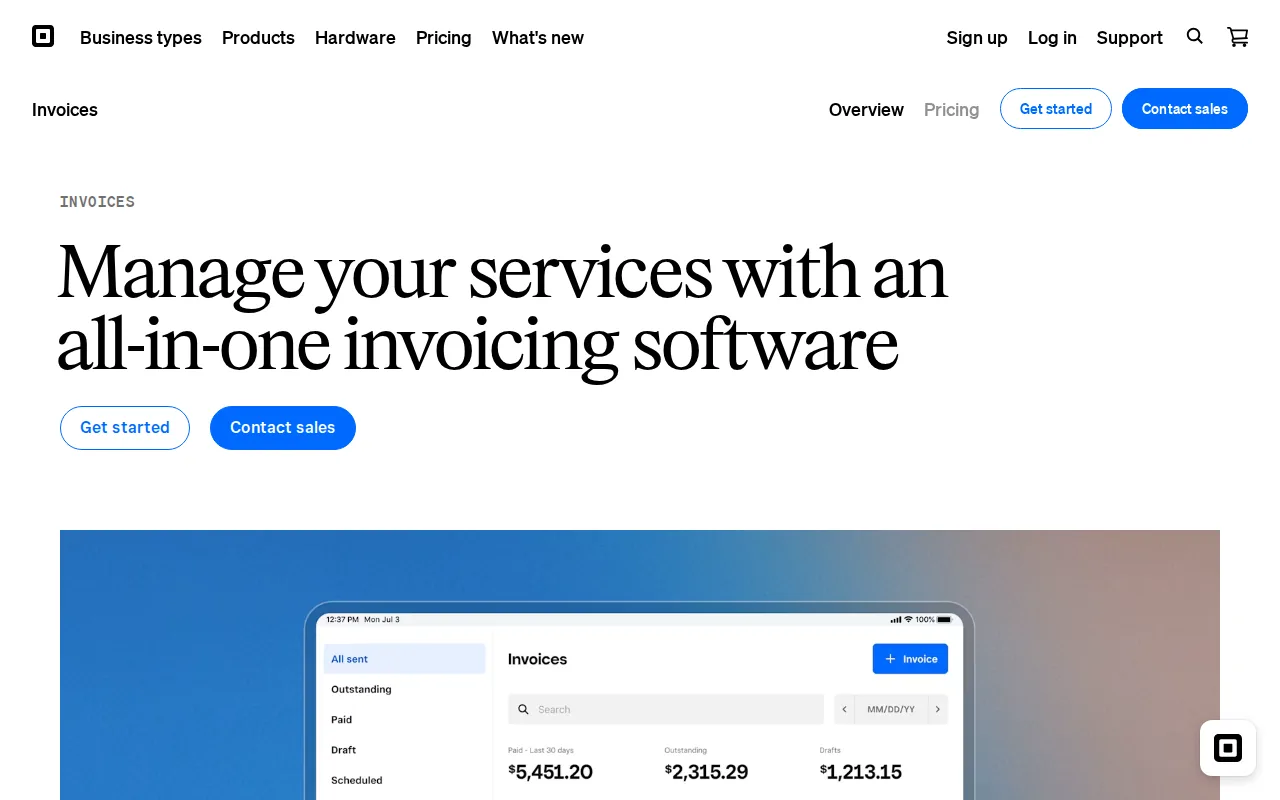
Square also connects with QuickBooks Online and Xero. That gives a shop a clear path from payment collection to accounting records. Hardware adds value when staff need to take payments at a counter, event, or pop-up location.
Pick Square when payment collection and physical retail are tied together. Look elsewhere when imported inventory cost is your main concern.
6. Zoho Invoice, affordable billing for smaller online businesses
Zoho Invoice is aimed at small businesses and freelancers that need affordable billing without a large finance system. It integrates with PayPal and Stripe and supports recurring billing.
That makes Zoho Invoice useful for a smaller brand with repeat wholesale clients or service charges attached to product work. Recurring billing can generate the next invoice on a set schedule instead of relying on a reminder in a spreadsheet.
Zoho Invoice integrates with PayPal and Stripe. Confirm the available payment integrations before building the full workflow.
The trade-off is scope. Zoho Invoice is a billing tool, not a dedicated Amazon FBA or Shopify supply-chain system. It won't give you the same landed-cost view as SupplyAutomate.
7. HubSpot, invoice prioritization tied to customer management
HubSpot fits businesses that want invoice follow-up tied to customer records.

HubSpot's AI Invoice Prioritization tool follows up on open invoices based on revenue impact. In plain terms, the team can focus first on unpaid balances that affect the most revenue, rather than working through a random list.
This is useful for wholesale relationships where a late payment may affect account health or future orders. It is less useful as the main system for supplier invoice capture. HubSpot helps manage the customer side of the process, while another system may need to handle purchase documents and stock costs.
Use HubSpot when collections and customer context sit at the center of your work. Don't pick it as your only tool for FBA cost control.
8. Invoice Ninja, flexible recurring and multi-currency invoicing
Invoice Ninja is a flexible option for recurring invoices and client billing. Its documented workflow lets you set a schedule, define due dates, choose remaining cycles, and decide if invoices should auto-bill a saved payment method.
That detail helps when a seller manages retainers, subscriptions, or repeat B2B accounts. The recurring record acts as a template. Each cycle produces a new invoice with its own number, PDF, payment link, and balance.
Invoice Ninja also supports automatic currency conversion.
The limitation is clear. Invoice Ninja handles outgoing billing well, but it is not built around supplier POs, freight bills, or SKU-level landed cost.
9. Invoice Parse, API-ready AI extraction for finance teams
Invoice Parse is an AI extraction tool for teams that need structured data from PDF and image invoices. It can read vendor names, totals, taxes, dates, and line items without template setup.

Finance teams can upload a file, review the extracted data, and export it to Excel or Power BI. The product also lists API, Zapier, and Make connections. Its mobile app supports invoice capture away from a desk.
That makes Invoice Parse useful when the problem is data entry. It can also help a team build a custom flow that sends parsed records into an existing AP system.
Invoice Parse warns that AI output may be inaccurate, so human review still matters for unusual layouts or high-value bills. It also focuses on extraction rather than marketplace-native workflows for Amazon FBA or Shopify.
10. FreshBooks, user-friendly automated invoicing
FreshBooks is a user-friendly option for small teams that want automated invoices and reminders. It suits a seller who needs clean outgoing billing without a steep learning curve.

FreshBooks can work alongside product sales when the business also bills for services, project work, or contractor time. That split is common for small eCommerce operators who sell goods but also charge for setup or consulting.
The compromise is depth. FreshBooks is less suited to a high-volume supplier workflow with POs, customs records, and landed-cost allocation. It can keep customer billing tidy, but it won't replace a supply-chain system.
Review the current product details before checking integration fit.
Invoice processing software comparison for Amazon FBA, Shopify, and WooCommerce
The right choice depends on where the invoice enters your business. A customer invoice, a Stripe payout, and a supplier commercial invoice may all contain money data, but they need different workflows.
For Amazon FBA and Shopify sellers, SupplyAutomate is the most relevant first choice because it connects document handling with order records and landed-cost analysis. For broader stock planning across Amazon FBA, Shopify, and WooCommerce, eCommerce inventory management software can complement invoice processing. For general accounting, QuickBooks Online or Xero may fit better. Stripe is the stronger choice when payment reconciliation is the pain point.
| Seller situation | Best fit | Why it fits | Watch for |
|---|---|---|---|
| Imported goods with supplier documents | SupplyAutomate | Matches documents to orders and tracks landed cost | May be more than a simple billing tool |
| Mobile customer invoicing | Intuit QuickBooks Online | Accounting-first workflow with mobile invoicing | Test inventory and marketplace data flow |
| Growing finance team | Xero | Cloud records with bank feeds | May need another tool for landed cost |
| Payment-heavy DTC business | Stripe | Payment matching, fee review, and reconciliation | Not a supplier document system |
| Retail plus in-person sales | Square | Invoices, payments, and hardware in one setup | No multi-currency acceptance today |
| Small recurring billing workflow | Zoho Invoice or Invoice Ninja | Recurring invoice support with payment options | Limited supply-chain depth |
For sellers still weighing spreadsheets against a system, this guide to landed cost spreadsheets versus software gives a useful decision rule: once actual invoices need to be matched across shipments, a shared system usually makes more sense.
What to look for in eCommerce invoice processing software
Good invoice processing software should cover the whole path, not just read a PDF. The basic flow starts when a document arrives. The system captures fields with OCR or AI, checks the record, routes it for approval, matches it to a PO or receipt, schedules payment, and posts the result to accounting.
For an eCommerce seller, add these checks:
- Order matching: Can the tool link a supplier invoice to the right PO, shipment, and SKU?
- Cost detail: Can it include freight, duty, and customs charges in landed cost?
- Marketplace fit: Does it connect natively to Amazon FBA, Shopify, or WooCommerce?
- Approval rules: Can a bill pause when the quantity or price differs from the order?
- Payment control: Does it support ACH, cards, wires, or other methods your suppliers use?
- Currency support: Can it record invoices in the currencies your suppliers and customers use?
- Audit trail: Can you see who changed, approved, or paid a document?
- Security: Ask how files are stored, who can access them, and how exports are controlled.
Order matching is the check most tools quietly fail, and it depends on the purchase record being clean in the first place. A purchase order management system is what gives an invoice something reliable to match against.
AI can cut data entry, but it shouldn't remove judgment. A clear review queue is important, especially when a supplier changes its invoice format.
Pro Tip: Test one clean invoice, one scanned invoice, and one invoice with freight or duty charges. A short trial reveals more than a feature list.
Key Takeaway: Choose the system that follows your money back to the order, not the one with the longest integration list.
Ready to stop typing supplier invoices into spreadsheets? See how SupplyAutomate maps your documents to orders and landed costs.
Frequently asked questions
What is invoice processing software?
Invoice processing software captures invoice data, checks it, routes it for approval, schedules payment, and records the result in accounting. Modern tools may use OCR or AI to read PDFs and images. For eCommerce, the best fit also links invoices to orders, supplier records, payment status, and inventory costs.
What is the best invoice processing software for Amazon FBA?
SupplyAutomate is the best fit for Amazon FBA sellers whose main issue is supplier documents and true product cost. It connects invoice handling with orders and landed-cost analysis. Accounting tools can still help with books and payments, but they may not explain how freight, duty, and supplier charges change SKU margin.
Can invoice processing software work with Shopify?
Yes, invoice processing software can work with Shopify, but the depth varies by product. Some tools focus on customer billing or payment reconciliation. SupplyAutomate is designed for Shopify sellers who need supplier invoices tied to purchase orders, documents, and landed cost. Test order matching before you move a live workflow.
Does invoice processing software support multiple currencies?
Some invoice processing software supports multiple currencies, while others focus on one billing market. Invoice Ninja lists automatic currency conversion, and Xero is positioned for growing businesses with bank and payment connections. Confirm exchange-rate handling, supplier currency records, and payment settlement rules before choosing a tool.
Can AI invoice processing replace a finance review?
AI invoice processing can reduce manual entry, but it shouldn't remove finance review. AI may misread a low-quality scan, unusual tax line, or changed supplier layout. Use confidence checks and approval rules. A good system sends exceptions to a person while routine invoices move through the normal path.
How much does invoice processing software cost?
Invoice processing software pricing varies by document volume, users, payment features, integrations, and AI usage. Compare the full cost against time spent on entry, duplicate checks, payment follow-up, and month-end reconciliation. For a fair test, measure one month of manual work before comparing plans.
Conclusion
For Amazon FBA and Shopify sellers, start with SupplyAutomate because it connects invoice documents to orders and landed cost. Upload a small set of supplier invoices, check the matches, and review the margin view before expanding the workflow. If you are comparing the wider category first, the supply chain software comparison sets out where a document workflow ends and a purchasing system begins.