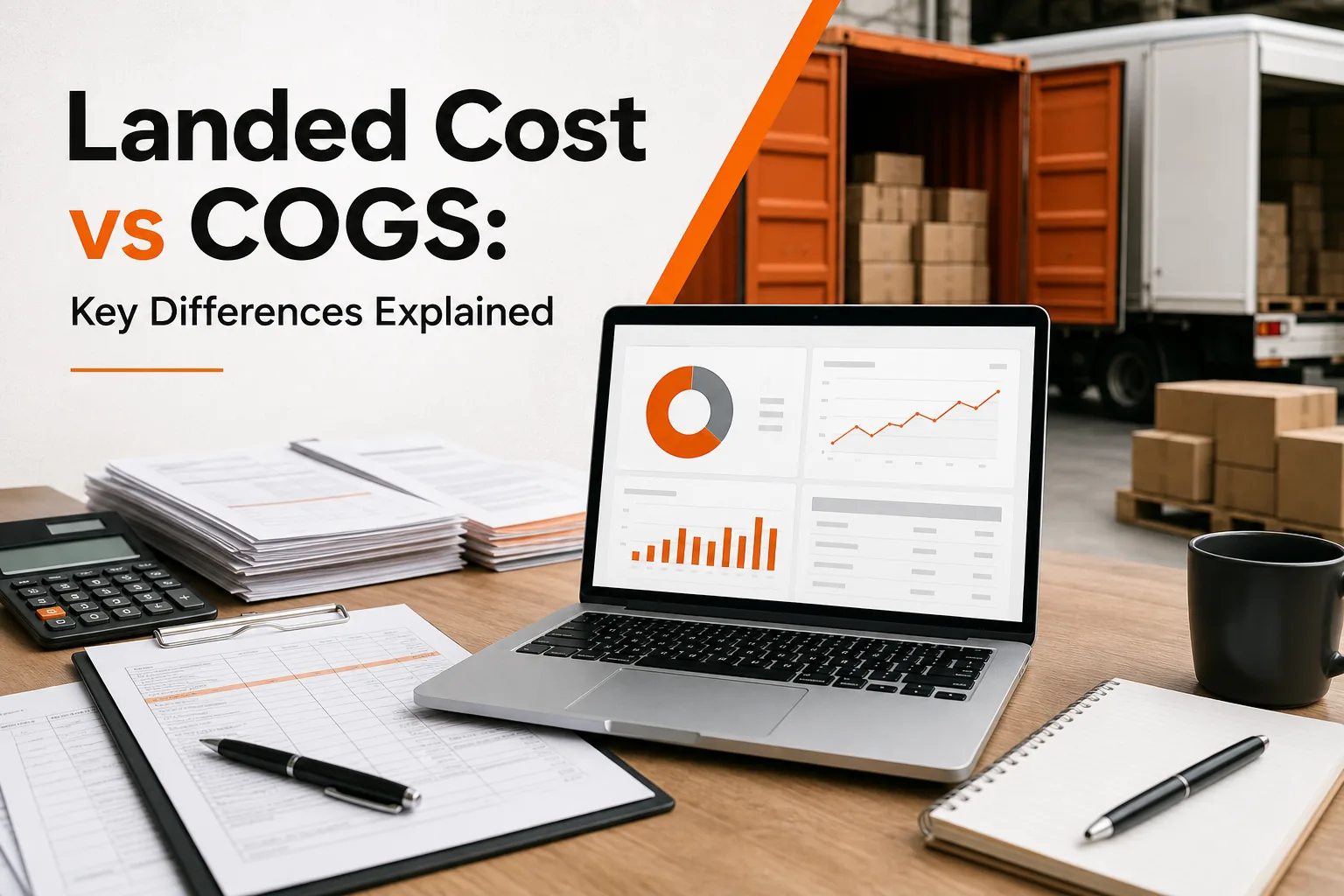
That supplier invoice is only the start. For Amazon FBA, Shopify, and WooCommerce sellers, freight, duty, insurance, and handling can change the cost of every unit. Landed cost tracks the product’s full journey into inventory. COGS tracks the direct cost assigned when that inventory sells. Let’s separate the two, then put the numbers to work.
1. SupplyAutomate
SupplyAutomate is AI-driven supply chain software for e-commerce brands that need one clear view of orders, documents, and product costs.
It fits Amazon FBA sellers, Shopify store owners, WooCommerce retailers, and small to mid-sized teams that still chase freight bills through email. You can upload invoices, packing lists, freight bills, and customs records. The system reads those documents and matches costs to the right order.
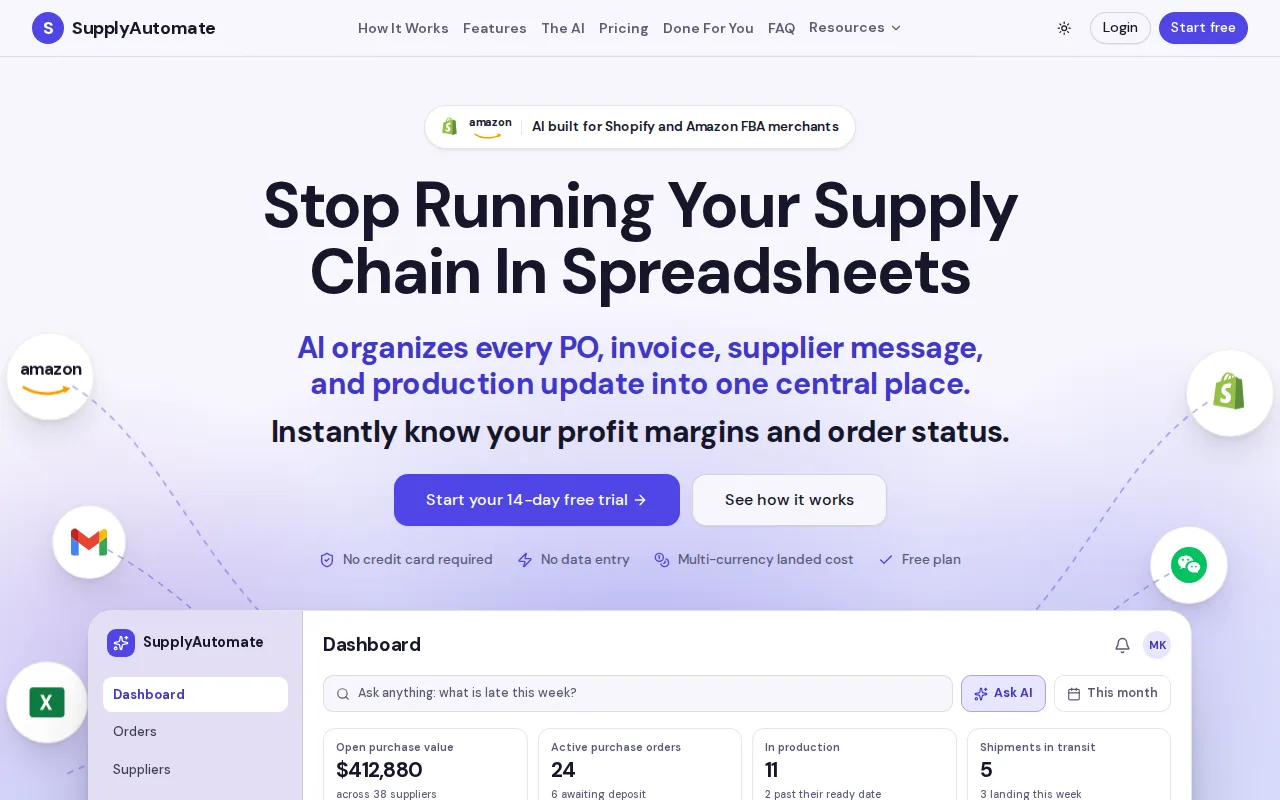
That workflow helps turn a supplier quote into a current landed-cost figure. When another bill arrives, the cost can be added to the shipment record instead of sitting in a separate spreadsheet. You can then ask a simple question: what did this SKU really cost by the time it reached available inventory? The step-by-step method is in the guide to calculating landed cost.
SupplyAutomate also gives teams a better bridge between operations and finance. Operations sees the shipment and its charges. Finance gets a cleaner basis for inventory and COGS reporting. The goal is one shared number, backed by the documents behind it.
The limitation is simple: software can’t fix bad source data. If quantities, SKU names, or shipment links are wrong, the result still needs review. Set clear rules for estimates, actual invoices, and adjustments before your team relies on the report.
Landed Cost vs COGS: Definitions, Scope, and Timing
In the landed cost vs COGS question, the main difference is scope. Landed cost is tied to a shipment or product before sale. COGS is an accounting measure that records the direct cost of products sold during a reporting period.
Landed cost starts with the purchase price. It can include freight, cargo insurance, customs duty, brokerage, port handling, taxes, and inland delivery. The exact list depends on the shipment terms and the costs needed to get goods into sellable inventory. The delivered price calculation can include CIF, duties, and VAT.
COGS begins when inventory is sold. The related inventory value moves from the balance sheet to the income statement. A product’s landed cost may form the unit cost inside COGS, but the two terms still answer different questions.
| Decision | Use landed cost | Use COGS |
|---|---|---|
| What did one shipment cost? | Yes. Tie charges to the shipment or SKU. | Not by itself. |
| What did each unit cost before sale? | Yes. Allocate shared charges to inventory. | Only after the unit sells. |
| Which number supports gross margin? | It improves the unit-cost input. | It appears in the income statement. |
| Which supplier or freight mode is cheaper? | Yes. Compare complete inbound cost. | Usually too broad for this choice. |
| Which costs relate to making a sale? | Inbound costs only. | COGS covers direct product cost. Cost of sales may also include outbound shipping, ads, and payment fees. |
There is also a timing issue. Freight or duty may arrive after the purchase order is received. You can post an estimate first, then adjust inventory when the actual bill arrives. If you expense every inbound charge right away, margins may look weak in one month and too strong in another.
Total cost of ownership goes wider still. It may include storage overhead, financing, returns, service, or the cost of holding slow stock. Landed cost is usually narrower. It focuses on getting the product into inventory.
Key Takeaway: Landed cost tells you what inventory cost to acquire. COGS tells you what sold inventory cost during the accounting period.
How to Calculate and Allocate Landed Cost to Each Product
To calculate landed cost, gather every inbound charge tied to the shipment, then assign shared costs using a rule that fits the charge.
Start with the right quantity
Use sellable units received as the divisor. Don’t assume the purchase order quantity is the final count. Damage, shortages, failed inspection, or missing units can raise the true cost per unit.
For a shipment with one SKU, the formula is direct:
Landed cost per unit = total product cost + inbound costs ÷ sellable units received
For clarity, calculate the full total first. Then divide:
Landed cost per unit = total landed cost / sellable units received
A product that costs $10 from the supplier may also carry freight, duty, insurance, customs, and receiving charges. The $10 figure is the buy cost. The loaded figure is the number you need for pricing and margin checks. You can test the math with the SupplyAutomate landed cost calculator.
Choose an allocation method
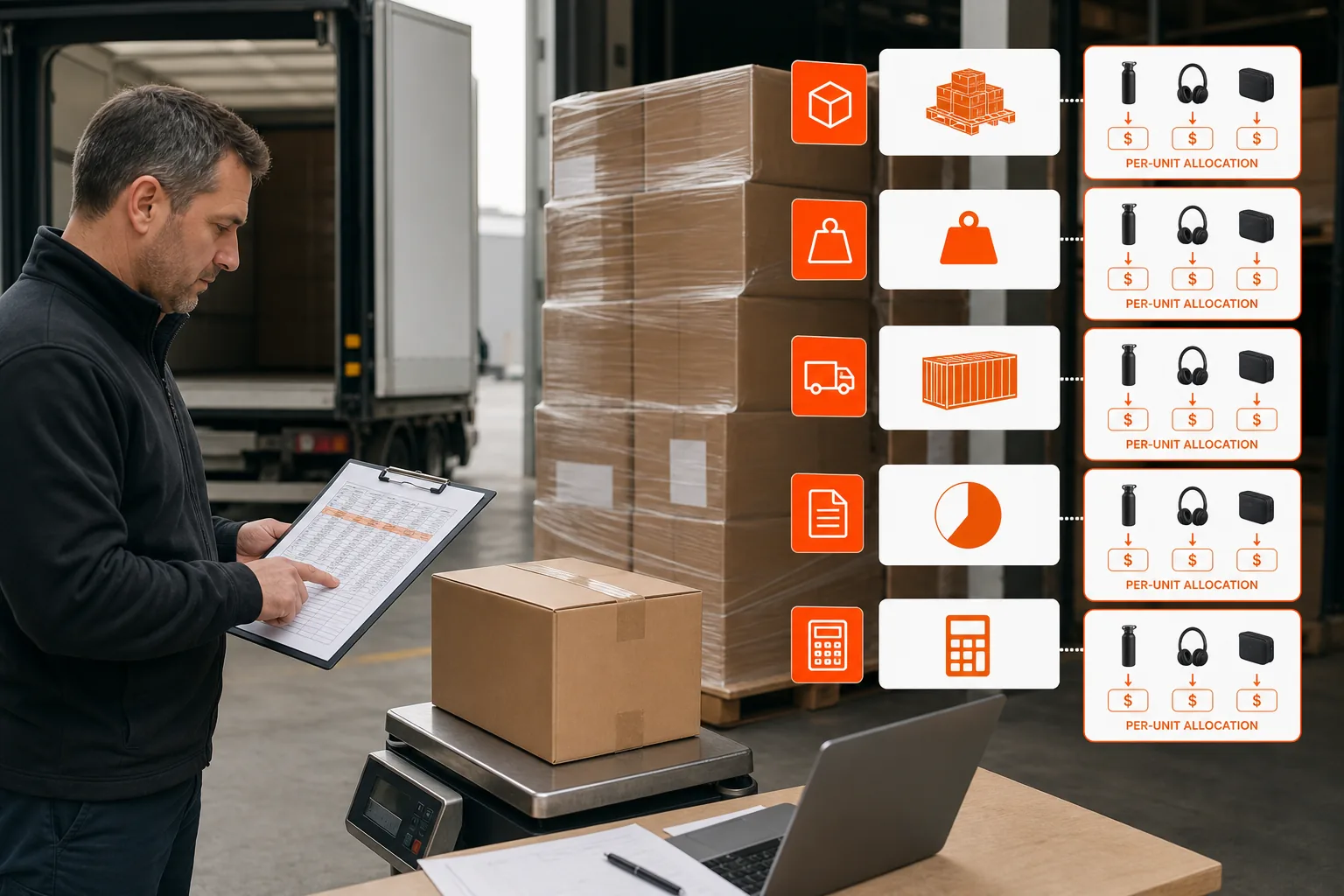
Multi-SKU shipments need an allocation rule. The best method follows what caused the cost.
- By units: Use this when products are similar in size and weight.
- By weight: Use this when heavy items drive the freight bill.
- By volume: Use this when container space or dimensional weight drives the charge.
- By customs value: Use this when the charge relates to the declared value of goods.
- By fixed amount: Use this when a known charge belongs to one SKU or line.
Don’t allocate customs duty by unit when duty is based on product value. That can make a low-value item carry too much cost while an expensive item carries too little. Keep the rule consistent, and document exceptions.
Reconcile estimates to actuals
Before approving a PO, estimate freight, duty, and delivery. Mark each figure as provisional. Once the shipment lands, replace estimates with vendor bills and customs records.
For a small SKU count, a spreadsheet may work. Once several people edit the file or costs arrive at different times, the process becomes fragile. This landed cost spreadsheet versus software comparison explains where manual models tend to break.
By the end of the calculation, each SKU should have an estimated cost, an actual cost, and a clear record of the charges behind both figures.
A Product’s Landed-Cost Journey: Factory to Customer-Ready Inventory
The landed cost journey begins at the factory and ends when stock is ready to sell. That distinction matters for Amazon FBA, where a unit may need prep or labeling before it enters the fulfillment network.
Imagine a mixed shipment of kitchen accessories. The supplier invoice gives you the product value. If the purchase terms leave origin transport to you, add the factory pickup and movement to the port. The next leg may be ocean or air freight.
At import, customs duty is calculated under the shipment’s classification, origin, and customs value. Brokerage and port charges may arrive on separate bills. A customs exam can add another charge. Keep each document tied to the same PO and shipment.
After release, the goods still need to reach your warehouse or 3PL. Add drayage, trucking, or final inland delivery. If the warehouse inspects, sorts, labels, or repacks the goods before sale, decide whether those direct receiving costs belong in the loaded inventory figure.
Now consider Amazon FBA. Your factory-to-Amazon number may include prep, labels, inbound freight, duty, and delivery. Amazon referral fees, fulfillment fees, storage, advertising, and returns are selling costs. They belong in the profit model, but they are usually tracked separately from inbound landed cost.
For Shopify and WooCommerce, the destination may be your own warehouse or a 3PL. Outbound parcel delivery to the customer happens after inventory is ready. That makes it a sale-related cost rather than a factory-to-stock cost in most operating models.
Trade terms can change the whole path. Under one arrangement, the supplier may include freight to a named point. Under another, you may pay nearly every leg after the factory. Read the Incoterm before comparing quotes. Two supplier prices can look different while producing a similar final cost.
How Landed Cost Changes Pricing, Profitability, and Inventory Valuation
Landed cost vs COGS becomes especially important when you set prices. A margin model based only on the supplier invoice can make a product look profitable before freight and duty take their share.
For an Amazon FBA product, start with the cost of one sellable unit delivered into Amazon. The Amazon FBA landed cost calculation should include prep, labels, inbound freight, duty, and other costs needed to make the unit ready for sale. Then subtract marketplace fees, advertising, returns, and other per-unit costs from the selling price. The SupplyAutomate Amazon profit calculator uses that structure for unit profit and break-even analysis.
For Shopify or WooCommerce, add the costs that happen after inventory is ready. Payment processing and outbound shipping may sit outside COGS, yet they still reduce the profit from each order. Keep the categories separate so you can see both gross margin and contribution margin.
Inventory valuation methods
Inventory valuation decides which costs move into COGS as units sell. Under FIFO, first-in inventory costs move out first. When costs rise, older and cheaper layers may reach COGS before newer layers.
LIFO assigns the newest layers first where that method is permitted. Average cost blends current inventory costs into one running rate. Your accounting policy and reporting rules determine which method you can use.
Landed costs should follow the inventory layer they relate to. If a freight bill belongs to a specific receipt, attach it to that receipt. If it applies across several receipts, use a documented allocation method. This gives finance a better basis for the inventory asset and later COGS entry.
Accounting treatment
When goods arrive before every bill is known, an accrual can hold the expected cost. The inventory asset increases as the landed cost is assigned. When the freight or duty invoice arrives, the payable or accrual is cleared and the difference is posted as an adjustment.
The exact journal entry depends on your accounting system and policy. The operating rule is steady: costs that belong to unsold inventory should not all hit the income statement before the inventory sells. Ask your accountant to confirm treatment for duties, recoverable taxes, warehouse fees, and your chosen valuation method.
Pro Tip: Review estimated versus actual landed cost after every major receipt. A repeated gap usually points to freight assumptions, duty classification, receiving loss, or an allocation rule that needs attention.
Common Landed Cost and COGS Challenges
The most common error is treating the supplier invoice as the product cost. That works only when every other inbound cost is truly zero, which is rare for imported inventory.
- Missing documents: Ask suppliers and freight partners to send bills against the PO or shipment number.
- Late charges: Post a marked estimate, then reconcile it when the actual bill arrives.
- Currency changes: Record the exchange basis used for each shipment.
- Mixed shipments: Allocate shared charges by the driver of the cost.
- Double counting: Check whether freight is already included in the supplier’s Incoterm or invoice.
- Wrong timing: Keep inbound inventory costs separate from costs tied to the customer sale.
Supply-chain volatility makes old estimates less useful. Freight can change while the supplier price stays fixed. Duty exposure can change when classification or origin changes. Review assumptions before approving a new PO, not only after the goods arrive.
SupplyAutomate is useful when the work has outgrown a single sheet. The platform can keep supplier records, order documents, shipment costs, and messages connected. That gives your team a repeatable way to move from estimated landed cost to actual inventory cost.
FAQ
What is the difference between landed cost and COGS?
Landed cost measures the full inbound cost of a product before sale. COGS records the direct cost of inventory after that inventory sells. Landed cost is usually tracked by shipment or SKU, while COGS is reported for an accounting period. A product’s landed cost can become the unit cost used in its COGS entry.
Is landed cost included in COGS?
Landed cost is often included in inventory value and then flows into COGS when the related units sell. The treatment depends on your accounting policy and the type of charge. Inbound freight, duty, and direct receiving costs may attach to inventory. Outbound delivery, advertising, and payment fees are usually tracked as sale-related costs.
What should be included in landed cost for Amazon FBA?
Amazon FBA landed cost can include the supplier price, prep, labels, inbound freight, insurance, duty, customs, delivery, and receiving. Use sellable units received as the divisor. Amazon selling fees, storage, advertising, returns, and fulfillment charges should also appear in your profit model, but they’re commonly kept separate from factory-to-Amazon landed cost.
How do you calculate landed cost per unit?
Add the product cost to every allocable inbound charge, then divide the total by sellable units received. For a mixed shipment, allocate shared costs by units, weight, volume, customs value, or another documented rule. Use the method that matches the charge. Replace estimates with actual bills after receipt.
Is cost of sales the same as COGS?
Cost of sales is often broader than COGS. COGS focuses on the direct product cost. Cost of sales may also include outbound shipping, packaging, payment processing, advertising, or other costs tied to completing the customer order. Keep the categories distinct so gross margin and order-level profitability don’t get mixed together.
Conclusion
Use landed cost to price inventory and compare sourcing choices. Use COGS to report the cost of units sold. Start with your next open shipment: collect the supplier invoice, freight bill, duty record, and receiving cost, then calculate a per-SKU figure. If those documents live in different places, SupplyAutomate can bring the workflow into one record and help you reconcile the estimate to the final cost.