
The supplier invoice is only the opening line. Freight, duty, insurance, brokerage, storage, currency shifts, and marketplace fees can change the margin before inventory reaches your warehouse or FBA. Here are the best ecommerce landed cost calculator options, with a clear fit for Amazon FBA, Shopify, and WooCommerce sellers.
1. SupplyAutomate
SupplyAutomate is an AI-driven landed cost and supply chain platform for Amazon FBA and Shopify sellers. It fits brands that need more than a one-time estimate.
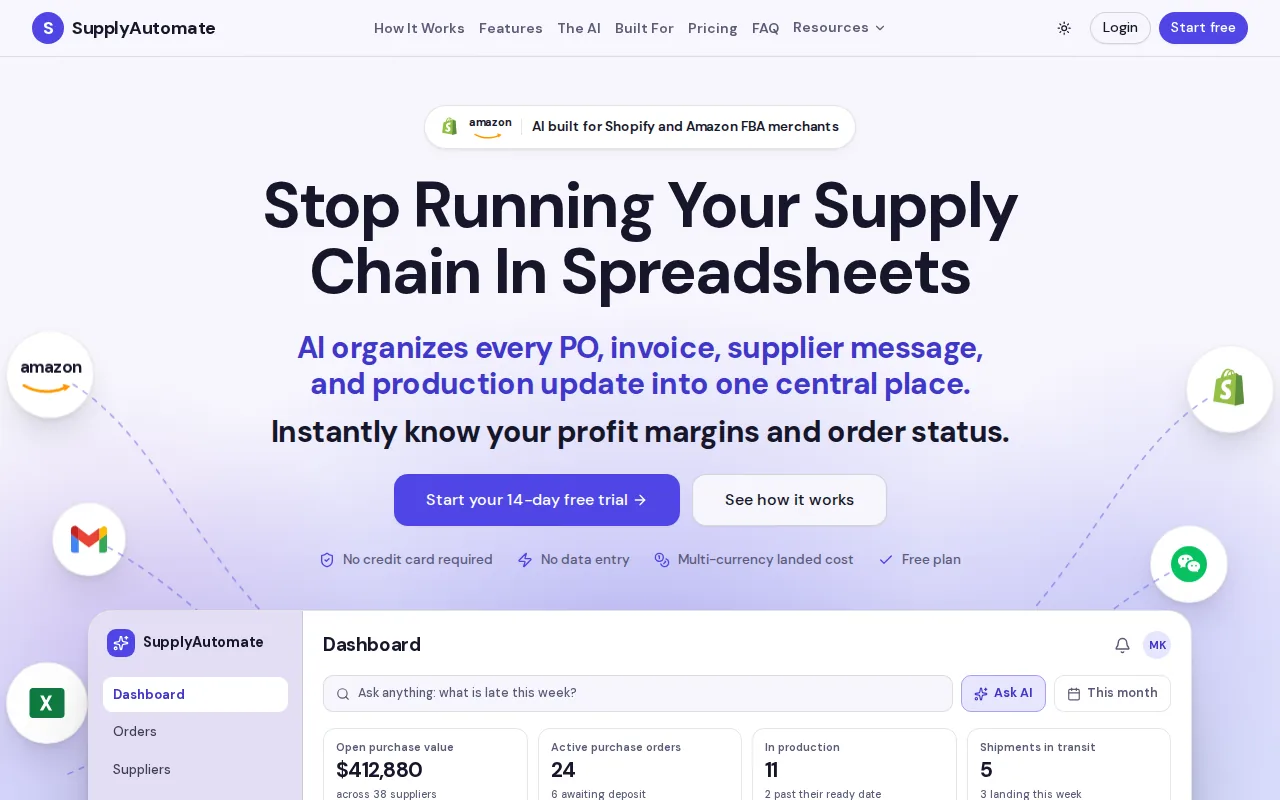
We bring purchase orders, supplier messages, invoices, freight bills, customs records, and cost updates into one workspace. Automated document processing reads the paperwork and ties costs to the right order. Real-time landed cost insights then show what each unit costs as new bills arrive.
That matters when an initial estimate changes after the final freight bill adds another charge weeks later. The system can keep the cost record tied to the shipment instead of leaving the update in an email or a forgotten spreadsheet tab.
For Amazon FBA, the useful cost boundary is the price of one sellable unit delivered into the fulfillment network. For Shopify, it is usually the cost of one sellable unit placed into available stock. WooCommerce sellers can use the same model, even when their store and fulfillment setup differ. If the term itself is new, what landed cost is and why it matters sets the boundary before you pick a tool to measure it.
Start with the SupplyAutomate landed cost calculator when you need a quick estimate. For deeper Amazon work, the Amazon FBA landed cost method explains which inbound charges belong in the unit cost and which selling fees belong in the margin view.
The main strength is workflow depth. SupplyAutomate tracks orders and supplier communications alongside the numbers, so a manager can ask what is late and what it really cost without rebuilding the answer by hand.
Smaller sellers with one product and a stable shipping lane may find a spreadsheet sufficient. Growing brands will get more value when delayed invoices and many SKUs make manual updates hard to trust.
Key Takeaway: Pick SupplyAutomate when landed cost needs to stay current across orders, documents, suppliers, and inbound shipments.
2. Import Math
Import Math is a free, web-based ecommerce landed cost calculator for sellers who want a fast pre-purchase estimate across many sales channels.
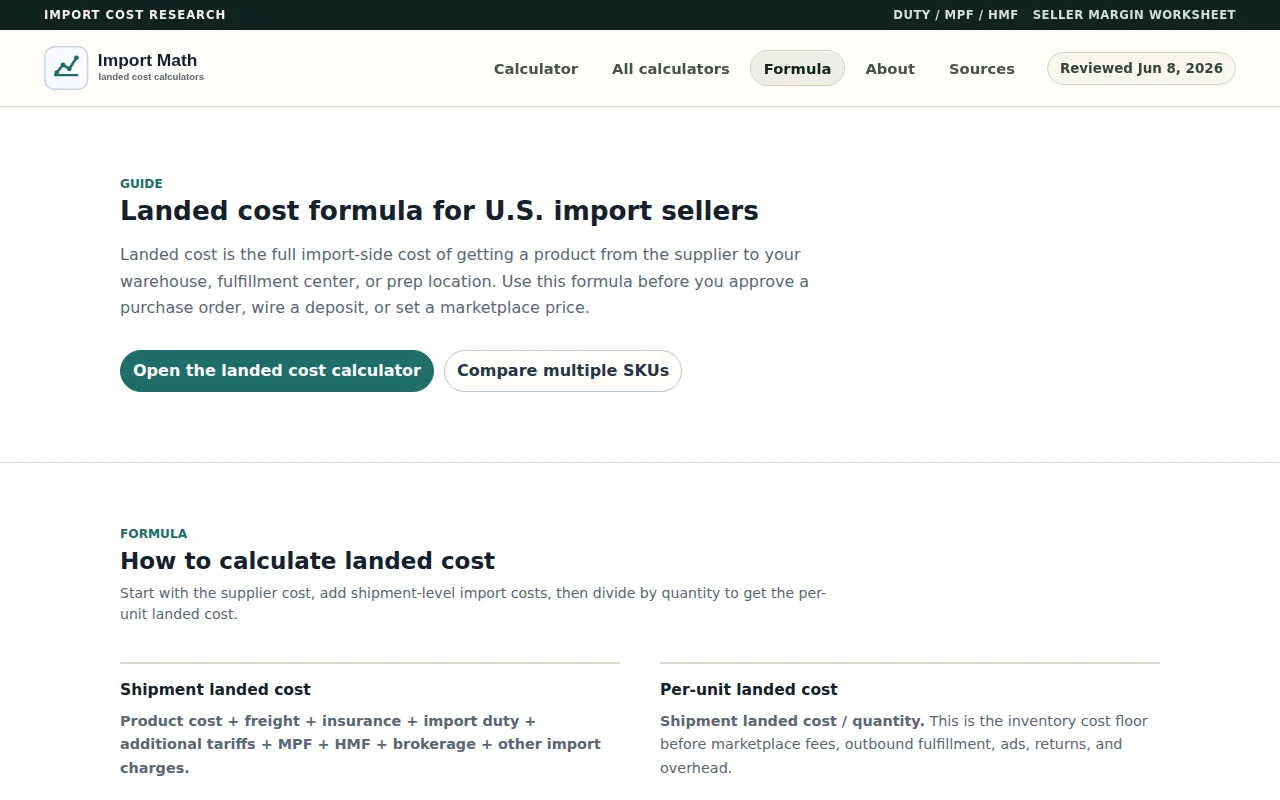
It stacks product cost with freight and insurance. Then it applies the base duty rate from the HTS code, possible Section 301 tariff overlays for Chinese-origin goods, Merchandise Processing Fee, and Harbor Maintenance Fee. After that, it adds marketplace and fulfillment costs based on the selected channel.
The tool covers Amazon FBA, Shopify, WooCommerce, Etsy, TikTok Shop, eBay, Walmart Marketplace, BigCommerce, Wix, and Squarespace. It also has a CSV batch SKU checker, which is useful when a product line has too many variants for one-by-one entry.
Import Math also supports origin comparisons. A seller can test how the same product changes when the origin moves from China to another sourcing country. That makes the tool useful before a deposit is sent or a purchase order is approved.
Its limits are clear. You must know the correct HTS code, and the tool does not classify products for you. It also does not provide customs compliance advice or broker services. Regulated goods, antidumping duties, countervailing duties, and complex entry questions need separate review.
Treat any calculator result as a planning figure until the classification and shipment documents are confirmed.
Import Math is the better fit for a free margin check across several marketplaces. It is less suitable when the main problem is document control, compliance, or keeping actual costs updated after the shipment lands.
That is the hidden trade-off with free tools.
3. Spreadsheet Templates for Multi-SKU Imports
Spreadsheet templates are the most flexible ecommerce landed cost calculator option for sellers who want full control over their inputs and formulas.

A good sheet should keep one row per SKU or variant. Useful fields include supplier unit cost, ordered quantity, sellable quantity, currency, exchange rate, freight, insurance, duty, brokerage, port charges, inland delivery, storage, and receiving cost.
The basic formula is simple:
- Total landed cost = product cost + freight + insurance + duty + taxes + brokerage + handling + delivery.
- Landed cost per unit = total landed cost divided by sellable units received.
- Unit profit = selling price minus landed cost minus channel fees, advertising, returns, and other unit costs.
Use sellable units as the divisor. If a shipment contains damaged units, inspection failures, or stock that cannot be sold, dividing by the purchase order quantity will understate the true unit cost. The step-by-step landed cost method works through that arithmetic on a full shipment.
Shared costs need a fair allocation rule. Use quantity when items are similar. Use weight when heavy goods drive freight. Use volume when container space is the main cost driver. Use customs value when the charge follows the value of the goods.
Proportionate value allocation is often easy to audit. A SKU's share of the shipment value can determine its share of a shared cost pool. The key is to record the rule and use it the same way each time.
Currency needs its own field. Record the exchange rate and the date used. A stronger domestic currency can lower the converted cost, while a weaker one can raise it before the supplier changes its invoice price.
Spreadsheets also make timing visible. Mark each charge as estimated, invoiced, or paid. Freight forwarder bills and duty receipts may arrive after the inventory is already sold. If you wait for perfect data, your first margin report may be wrong. If you replace estimates without keeping the original forecast, you lose the reason for the variance.
For a useful margin check, connect the sheet to a profit margin calculator using landed unit cost. Keep inventory cost separate from outbound shipping and payment fees. This gives you a cleaner view of gross margin and contribution margin.
The weakness is upkeep. A spreadsheet will not read an invoice, match a freight bill to a PO, or alert you when a cost changes unless someone builds and maintains that process. It works well for a small catalog. It becomes risky when several people edit the file or when costs flow into an inventory or ERP system. The comparison of landed cost spreadsheets versus software sets out where that line usually falls.
Pro Tip: Keep estimated and actual charges in separate columns. That lets you measure variance instead of quietly rewriting the forecast.
4. Basic Online Landed Cost Calculators for Quick Estimates
Basic online calculators are useful when you need a rough ecommerce landed cost calculator result before building a full shipment model.
These tools usually ask for the supplier price, quantity, shipping cost, duty rate, insurance, and selected fees. Some also let you choose a destination or selling channel. The result can tell you if a product is worth deeper research.
They work best for a single SKU, a small test order, or a quick comparison between air and ocean freight. They are also useful when a buyer is reviewing a supplier quote during a sourcing call and needs a rough answer fast.
But a quick estimate is only as good as its inputs. Check whether the result includes:
| Decision point | What to check | If it is missing |
|---|---|---|
| Customs accuracy | HTS code, origin, and duty rate | Use the result for screening only |
| Shared shipment costs | Allocation by value, weight, volume, or units | Review each SKU separately |
| Local charges | Brokerage, port fees, drayage, and receiving | Add them as manual lines |
| Tax treatment | Recoverable VAT or GST versus a true cost | Keep tax outside inventory cost when recoverable |
| Marketplace view | Referral, fulfillment, storage, or payment fees | Use a separate margin model |
Some calculators treat taxes differently. A recoverable VAT or GST payment may affect cash flow without belonging in the final inventory cost. The correct treatment depends on your tax setup, destination, and accounting policy.
For Amazon sellers, the Amazon profit calculator with landed cost adds the next layer after the inventory arrives. That view can include selling fees, fulfillment, storage, advertising, returns, and overhead when those costs are part of your business model.
Basic tools also tend to stop at the estimate. They do not usually reconcile the original number with the final freight invoice. That gap matters because inventory may sell before duty or forwarding charges arrive. Keeping one record per product from quote through receipt is what tracking product costs across the supply chain is for.
Use a quick calculator to reject weak products early. Do not use it as the only record for a complex import, a regulated category, or a shipment with several cost drivers. In those cases, a spreadsheet or SupplyAutomate gives you a better audit trail.
How to choose the right option
Choose based on the decision in front of you, not on the longest feature list.
- Need a live workflow: Choose SupplyAutomate when documents, suppliers, POs, and landed costs must stay connected.
- Need a free pre-buy check: Choose Import Math when you know the HTS code and want broad marketplace coverage.
- Need total control: Choose a spreadsheet when you have a small catalog and a clear owner for updates.
- Need a rough answer now: Use a basic calculator to screen a product before spending time on full classification.
Whichever route you use, test one active SKU against the supplier invoice, freight quote, duty record, and warehouse receipt. Then compare the estimate with the final cost. That small audit often finds missing fees faster than another formula does.
FAQ
What is a landed cost calculator?
A landed cost calculator estimates the full cost of getting inventory into sellable stock. It may include product cost, freight, insurance, duty, taxes, brokerage, port fees, handling, and inland delivery. Some tools also add marketplace fees. The result should show both total shipment cost and cost per sellable unit.
How do you calculate landed cost per unit?
Calculate landed cost per unit by adding all allocable product and inbound shipment costs, then dividing by sellable units received. Include freight, insurance, duty, brokerage, handling, and delivery when they belong to the shipment. Do not use ordered quantity if some units are damaged, lost, or held from sale.
What costs are included in ecommerce landed cost?
Ecommerce landed cost usually includes the supplier price plus freight, insurance, customs duty, brokerage, port charges, inland delivery, and handling. Storage or prep may belong in the model when they are needed to make stock sellable. Marketplace referral fees and advertising are usually kept in a separate profit calculation.
Is a free landed cost calculator accurate?
A free landed cost calculator can be accurate enough for an early product screen, but its result depends on the inputs. Missing HTS classification, tariff overlays, brokerage, or local delivery can change the answer. Use a free tool for planning, then reconcile it with customs documents and final invoices before relying on the number for accounting.
What is the best calculator for Amazon FBA sellers?
The best calculator for Amazon FBA depends on your workflow. SupplyAutomate fits sellers who need landed cost tied to orders, supplier documents, and ongoing updates. Import Math fits a quick estimate across many channels. A spreadsheet works for a small catalog when one person owns the data and checks each final shipment charge.
Can Shopify and WooCommerce sellers use the same landed cost formula?
Shopify and WooCommerce sellers can use the same core landed cost formula: total product and inbound costs divided by sellable units. The channel-specific part comes later. Add payment fees, fulfillment costs, returns, ads, and other selling expenses in the profit model that matches your store.
Conclusion
SupplyAutomate is the strongest choice when you need landed cost to stay linked to ecommerce orders, supplier records, and incoming bills. For a quick screen, use Import Math or a basic calculator. Your next move is simple: pick one active SKU, rebuild its cost from supplier invoice to warehouse receipt, and use that number to check price and margin before the next purchase order.